Assistance

How can we help you?

Find answers to common questions, explore our knowledge base, or reach out directly to the Evro team. We're committed to getting you the support you need, whether you're a business partner or an EV driver.

Start chat

Contact us

Still have questions?

Reach out to our team directly.

Start chat

Charging with Evro

How do I find a charging station?

Download the Evro app from the Google Play Store or Apple App Store. Create an account, then tap the Stations tab to see all nearby charging stations.

What types of chargers and connectors are available at the Evro Partner Stations?

Evro Partner Stations support Type 2 and GB/T connectors for AC charging, and GB/T, CCS1, or CCS2 connectors for DC charging.

To find the right station for your vehicle, use More Filters on the Station screen. This lets you filter stations by charger type and check compatibility with your EV.

How do I activate a charging session?

  1. Scan the QR code on your chosen charging station.
  2. Enter your preferred charging amount and select a payment method.
  3. Review the session details and confirm.
  4. Plug in your EV and slide to start charging.
  5. Monitor your charging progress in real time.
  6. Charging automatically stops once your selected amount is consumed.
  7. Unplug your EV when charging is complete.
  8. View your session summary and receive your e-invoice or transaction slip via email.

I encountered an error and could not start charging. What should I do?

If you’re unable to start your charging session, follow these troubleshooting steps:

  1. Update your app
    Go to the App Store or Google Play Store and check for the latest version of the Evro app. Install any available updates.
  2. Restart the app
    Close the Evro app completely and relaunch it.
  3. Check your internet connection
    Make sure your device has a stable internet connection (Wi-Fi or mobile data).
  4. Contact Evro Customer Support
    Go to the in-app chat and select Chat with Us to connect with a support agent.

How do I know which connector to use for my electric vehicle?

To identify the right charging connector for your EV, follow these steps:

  1. Check your vehicle’s manual
    Your EV manual provides the exact connector specifications.
  2. Look at your EV’s charging port
    The connector type is usually clear from its shape and pin configuration. Common connectors include:
    • Type 1 (SAE J1772)
    • Type 2 (IEC 62196)
    • CCS (Combined Charging System)
    • CHAdeMO
    • Tesla connector
  3. Consult your manufacturer or dealer
    They can confirm the right connector type and available adapters.

ACMobility Membership

What is ACMobility Membership?

ACMobility Membership offers prepaid packs for one-time purchase and auto-renewing subscription plans. These offers provide a 30-day credit allowance for charging sessions. By using these credits, customers can save up to 20% on charging fees and enjoy faster checkout on every transaction.

What are the accepted modes of payment?

We only accept Mastercard, Visa, and JCB credit cards in the Membership Portal.

How can I use and monitor my credit allowance?

You can use ACMobility Membership credits to pay for charging sessions at ACMobility EV Charging Hubs by selecting ACMobility Membership credits as your payment method in the Evro app.

To check your available credit allowance, tap the credit balance in the upper-right corner of the Maps page to access the Membership Portal, where you can view your balance and active promos.

What happens if I run out of credits?

You may top up your credit allowance anytime by purchasing prepaid packs. There is no stacking limit to prepaid packs.

What happens if I don’t use up my credit allowance?

For prepaid packs, all unused credits are forfeited 30 days after purchase.

For subscription plans, all unused credits roll over for another 30 days. After the rollover period, unused credits are forfeited.

Make sure to charge regularly with ACMobility to get the most out of your Membership.

How do I change my subscription plan?

Plans purchased through credit card can be changed anytime.

In the Membership Portal, go to:
Menu > Manage My Membership > View Details > Change Plan

The change will be reflected after the end of your current plan’s 30-day validity period.

How do I cancel my subscription plan?

Plans purchased through credit card can be canceled anytime. No penalty fees will be applied.

In the Membership Portal, go to:
Menu > Manage My Membership > View Details > Cancel Plan

Your current plan will remain active until the end of its 30-day validity period. You will not be refunded for any remaining days.

Who can I contact if I have concerns about ACMobility Membership, ACMobility EV Charging Hubs, and vouchers?

You may reach us through the Evro in-app Chat Support.

You may also call the ACMobility hotline at (02) 7777 2266, available from 6:00 AM to 10:00 PM, Monday to Sunday.

New App Features

What is MyCharge Planner?

MyCharge Planner helps you charge smarter by recommending the right budget to reach your desired battery level.

You can also choose to enter your own charging amount instead of using the recommendation.

How does MyCharge Planner work?

To help you charge smarter:

  1. Set your current battery level (use the slider or enter manually).
  2. Set your target battery level.
  3. Get your recommended charging budget instantly.

What is Evro Station Finder?

Evro Station Finder helps you easily locate EV charging stations near you. It lets you view station availability, check vehicle compatibility, and use filters to find the right charging station for your needs.

With visibility of 240+ DOE-registered charging stations nationwide (including 120+ Evro partner stations), you now have a smarter way to search, find, and use the right station wherever you go.

What do the map pin colors mean in the Evro Station Finder?

To help you find the right charging station during your drive, the pins may indicate:

  • Green – Available stations
  • Red – Busy stations
  • Grey – Non-partner, incompatible, or unavailable stations

How can I quickly find available charging stations?

Tap the Available filter to show only stations that are online and ready to use.

How can I customize my station search?

Tap All Filters to refine results by charger type, station availability, vehicle compatibility, or to show only Evro partner stations.

Payments and Billing

How much is Evro’s charging rate?

Charging rates in Metro Manila are ₱28.50/kWh for AC charging and ₱35.00/kWh for DC charging.

Rates may vary outside Metro Manila. You can view the applicable rate by selecting a station on the map.

Why do the charging rates differ from one location to another?

Charging rates are dependent on prevailing electricity rates/prices per region.

I paid for a charging session but was not able to charge due to technical issues. How can I request a refund?

Payments for charging service are processed prior to actual charging activity. In case of technical issues that prevent charging, refunds are handled by payment method:

Credit and Debit Cards

  • Upon payment authorization, the chosen amount is earmarked from the customer’s credit limit.
  • Only the corresponding amount based on actual energy consumption is charged.
  • If a session starts but no energy is transferred, the full pre-authorized amount is automatically released.

GCash

  • The full selected amount is deducted from the GCash wallet upon payment completion.
  • If the session ends before reaching equivalent energy consumption, excess payment is refunded within two banking days.
  • If a session starts but no energy is transferred, the full prepaid amount is refunded within two banking days.

How do I add a credit card?

For security reasons, credit card details can only be added while setting up a charging session.

  1. Scan the QR code on your chosen charging station.
  2. Enter your desired charging amount or select from preset options (₱200–₱1500).
  3. On the Payment Method screen, select Credit Card.
  4. Review your session details and tap Pay.
  5. In the payment partner’s secure portal, tap Pay again.
  6. On the Add New Card screen, enter your credit card details.
  7. Confirm by clicking Pay, then enter the OTP sent by your bank.
  8. Once verified, your card will be saved and your charging session will proceed.

Your credit card will be securely stored by the payment partner. Evro does not store card details directly.

How do I remove a credit card?

For security reasons, credit card details can only be deleted while setting up a charging session.

  1. Scan the QR code on your chosen charging station.
  2. Enter your desired charging amount or select from preset options (₱200–₱1500).
  3. On the Payment Method screen, select Credit Card.
  4. Review your session details and tap Pay.
  5. In the payment partner’s secure portal, tap Pay again.
  6. On the secure online payment screen:
    • Tap the X button.
    • Confirm Delete when prompted.
    • Tap Close to finalize.

Your credit card will be removed instantly.

How do I link my GCash account?

You can link your GCash account directly from the Evro app for faster and more convenient payments.

  1. Go to Profile and click Payment Methods.
  2. Tap GCash.
  3. You’ll be redirected to the GCash Link & Pay screen.
  4. Log in with your GCash credentials and complete authentication (including OTP verification).
  5. Once done, you’ll be redirected back to Evro and your GCash account will appear as a linked payment method.

How do I unlink my GCash account?

If you wish to disconnect your GCash from Evro:

  1. Go to Profile and click Payment Methods.
  2. Tap GCash.
  3. Select Unlink GCash.
  4. A confirmation screen will appear. Tap OK.
  5. You’ll receive an SMS from GCash once your account has been successfully unlinked.

You can relink GCash anytime by following the same steps.

Why haven’t my GCash funds been returned yet?

If you used GCash to pay for a session that was canceled or unsuccessful:

  • The withheld amount will be automatically returned to your GCash Wallet within 24 hours.
  • You’ll receive a GCash notification once the refund is processed.
  • The refund will appear in your GCash transaction history and in your available balance.

If it’s been more than 24 hours and your refund hasn’t reflected, contact GCash Support or reach out to Evro Customer Support through in-app chat.

Still have questions?

Reach out to our team directly.

Start chat

What’s New

Find Resources

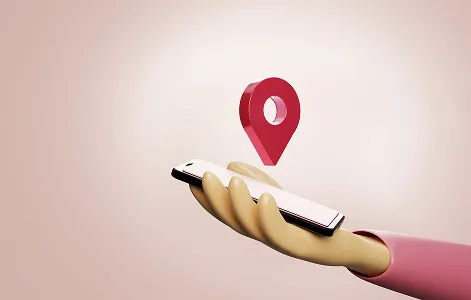
Hand holding a phone with a location pin above it.
feature

Station finder

Lorem ipsum dolor sit amet, consectetur adipiscing elit. Suspendisse varius enim in eros elementum tristique. Duis cursus, mi quis viverra ornare, eros dolor interdum nulla, ut commodo diam libero vitae erat.
View Map

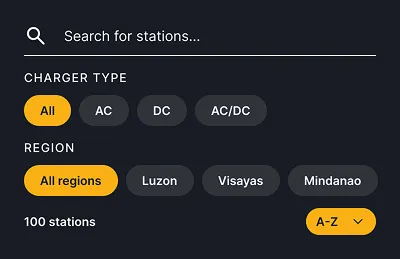
Evro station search with charger type and region filters.
feature

Filter

Lorem ipsum dolor sit amet, consectetur adipiscing elit. Suspendisse varius enim in eros elementum tristique.

Read More

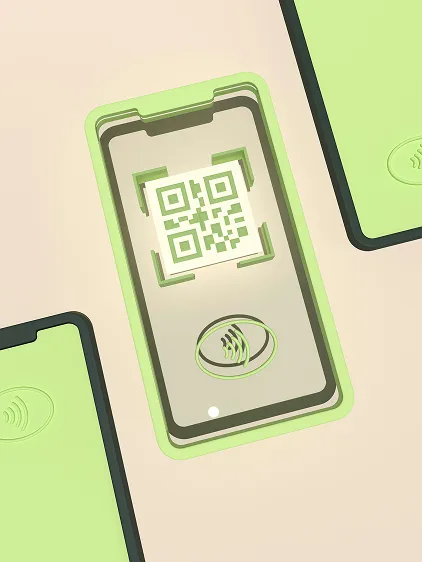
Phone scanning a QR code between contactless payment cards.
feature

QR code

Lorem ipsum dolor sit amet, consectetur adipiscing elit. Suspendisse varius enim in eros elementum tristique. Duis cursus, mi quis viverra ornare, eros dolor interdum nulla, ut commodo diam libero vitae erat.

Read More

trust

Safety and reliability

you can count on

Every charger on the Evro network meets strict safety standards. We monitor uptime, conduct regular maintenance, and respond to issues quickly.

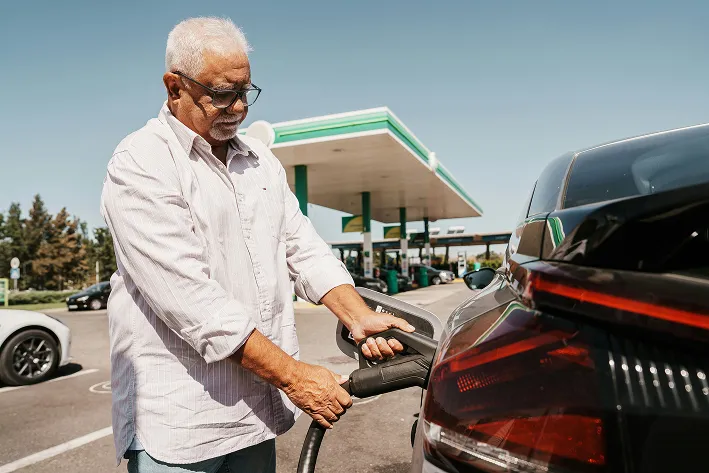
Man plugging a charger into an electric vehicle at a station.

Electrical safety and user protection

For drivers, Evro is the only companion you need. Navigate to thenearest charger, pay with a tap, and get back on the road.

Next

Man plugging a charger into an electric vehicle at a station.

Electrical safety and user protection

For drivers, Evro is the only companion you need. Navigate to thenearest charger, pay with a tap, and get back on the road.

Next

Man plugging a charger into an electric vehicle at a station.

Electrical safety and user protection

For drivers, Evro is the only companion you need. Navigate to thenearest charger, pay with a tap, and get back on the road.

Next

contact

Speak with our team

Have a quick question? Start a conversation with our support specialists. We're
here to help with app issues, charging questions, or partnership inquiries.

Start chat

Aerial view of a city highway network at dusk.
contacts

Speak With Our Team

Every charger on the Evro network meets strict safety standards. We monitor uptime, conduct regular maintenance, and respond to issues quickly.

Email

For general inquiries and support requests

Phone

Available Monday through Friday, 8 AM to 6 PM

Chat

You can reach out with our social media accounts.